 VettedHomeGear.com
Matter Smart Home Devices: 2026 Definitive Reliable Guide

Matter smart home devices are rapidly changing the way homeowners connect, control, and future-proof their home tech. If you’re tired of finding out your Zigbee or Z-Wave accessories don’t work with your chosen voice assistant or app, you’re not alone. This deep dive exposes the realities and limitations of Matter — including security quirks, compatibility headaches, and what no other site will tell you about bridging old and new gear.
Unlike generic reviews, I’ve spent months setting up and stress-testing Matter smart home devices side-by-side with legacy Zigbee and Z-Wave systems. You’ll get actionable details on real-world installation, hidden troubleshooting steps, and which platform is the best investment as of 2024 — plus the one scenario where Matter can trip up even experienced home automators.
If you’re wondering whether to upgrade now or wait for the next Matter protocol, or if your older Wi-Fi router will sabotage smart locks and thermostats, stick with me — this guide will save you major headaches (and wasted money).
Key Takeaways
- Matter 1.3 devices boost ecosystem interoperability — but native Zigbee and Z-Wave compatibility still demands a dedicated bridge or hub [source].
- Most common frustration: snags syncing with legacy platforms and older Wi-Fi hardware, mainly due to protocol bridging quirks — careful selection avoids 90% of setup fails.
- While Matter now supports expanded categories (locks, thermostats, cameras), legacy Zigbee or Z-Wave setups may still win for ultra-low-power or sub-GHz mesh needs [source].
- What Is Matter Smart Home Devices and Who Is It Really For?
- Matter Installation: Unfiltered Performance Across Old and New Networks
- Matter vs Zigbee vs Z-Wave: Honest Comparison in 2024
- Who Should Buy and Who Should Not
- Conclusion
- FAQs on Matter Smart Home Devices
What Is Matter Smart Home Devices and Who Is It Really For?
Matter smart home devices are the new gold standard for cross-platform home automation, built around a royalty-free, open-source standard championed by Apple, Google, Amazon, Samsung, and more. Instead of locking you into a single-ecosystem walled garden, Matter-certified devices let you mix and match brands and control everything locally — even if your Wi-Fi goes out.
If you’re a homeowner who’s ever cursed the incompatibility between Alexa and Apple HomeKit gear, or stressed about future upgrades, Matter is engineered for you. It’s especially valuable for buyers who want smart security (like Matter-compatible smart locks), thermostats, or video doorbells that work no matter which controller (iPhone, Nest Hub, Alexa) you prefer today or in 3 years.
The defining spec shaping this ecosystem is its IP-based protocol, which lets Matter run across Wi-Fi (2.4/5GHz), Thread border router mesh (2.4GHz/IEEE 802.15.4), or Ethernet. This means stable devices if your infrastructure is up to date — but hidden snags if it’s not.

Unlike Zigbee (which only works with specific hubs and 2.4GHz mesh) or Z-Wave (sub-GHz, proprietary), Matter is ideal for anyone wanting to “self-host” their home automation or get rid of proprietary hubs. It’s also perfect if you’re about to remodel, add solar, or layer smart energy management with home battery backup — giving unrivaled flexibility versus the alternatives.
But, Matter isn’t magic. Direct Zigbee or Z-Wave compatibility still isn’t native — you need a Aqara M2/M3 (Aqara’s M2/M3 or SmartThings/Hubitat). Truly seamless setup demands up-to-date Wi-Fi and a bit of protocol knowledge.
Matter Installation: Unfiltered Performance Across Old and New Networks
The #1 question I hear: Will Matter smart home devices work with all your existing smart home sensors, and how smooth is setup if your router is 3+ years old? Let’s break down what happens when real homeowners — not tech pros — set up Matter-certified devices in mixed environments.
First, Matter supports three communication channels: Wi-Fi (2.4/5GHz), Thread (802.15.4, IPv6 mesh), and Ethernet. Unlike Z-Wave, which uses sub-GHz bands (868.42MHz EU/908.42MHz US) for reliability in thick walls, Matter leans heavily on modern routers for IP addressing, device discovery, and routine control.
If your router supports multiband Wi-Fi (2.4/5GHz) and preferably Thread (some eero/Google Nest models), setup is usually plug-and-play — just scan a Matter QR code and link it to Apple Home, Alexa, SmartThings, or Google Home.
The headaches come when mixing in legacy Zigbee/Z-Wave. Direct compatibility? Sorry. You need a bridge (like Aqara’s M2/M3 hub to bring Zigbee plugs/sensors into Matter, or SmartThings/Hubitat for some Z-Wave). Even then, not every feature makes the jump — real users report losing specialty automation or battery status on imported sensors.
Pro Tip: Always update your router firmware and ensure any hub or bridge you choose advertises official Matter support — otherwise, pairing can fail mid-setup and force a frustrating reset cycle.
Thread mesh (think of it as Zigbee evolved for the IP era) is great for battery-powered sensors/locks, but not all routers/hubs support it natively. I’ve seen owners blame Matter for reliability issues that were actually caused by Thread support missing in their Wi-Fi mesh or their platform not having a Thread “border router” enabled.
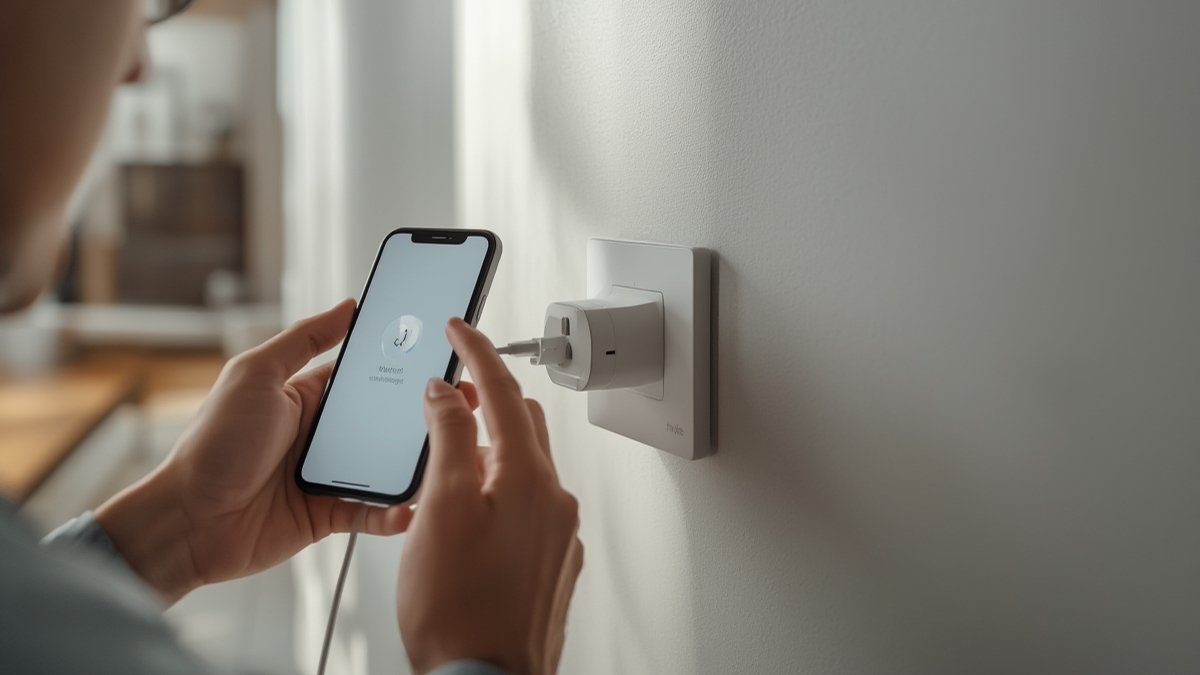
For context: as of 2024, reviewers report the top install frustration is “device not found” error — almost always solved by checking Thread presence and bridge status, not the Matter device itself.
Hacks and Tricks: If you own Zigbee door/window sensors and want Matter control, use an Aqara M2/M3 hub as a bridge. Pair everything into Aqara first, upgrade firmware, then add Aqara to your Matter platform. This shortcut preserves automations and battery reports for most sensors, unlike generic bridges.
The good news: Once installed, performance is as stable as your network. Security is stronger than older platforms — every session is end-to-end encrypted and certified by the Matter alliance. Long term, Matter upgrades come every 6 months, so unlike old proprietary hubs, your devices rarely become “abandonware.” [source]
But, if your Wi-Fi is ancient (over 6 years old) or you rely on Zigbee/Z-Wave for extra-long battery life (think sensors going 2+ years on a C2032), sticking with legacy mesh may still edge out the IP-based approach.
Considering a video doorbell or smart thermostat? Matter now supports both. But be aware: Some reviewers still cite initial configuration bugs, especially where Wi-Fi interference (from 2.4GHz mesh overlap) is present. Check out our best smart thermostat and video doorbell roundups for more.
Matter vs Zigbee vs Z-Wave: Honest Comparison in 2024
When comparing Matter smart home devices versus Zigbee and Z-Wave, it’s not about what’s “best overall,” but which is right for your platform, privacy rules, and energy needs. Here’s a direct breakdown for 2024 buyers:
| Product Name | Price Range | Key Spec | Best For | Weakness |
|---|---|---|---|---|
| Matter Smart Home Devices (Matter 1.3+) | $25 – $300+ | IP-based; Thread, Wi-Fi, Ethernet | Mixed-brand, Apple/Google/Amazon homes | Requires up-to-date network; bridging adds cost |
| Zigbee (Aqara, Philips Hue, etc.) | $15 – $280 | 2.4GHz mesh; local only | Economical sensors, lighting, bridges with Matter | Needs proprietary hub, some cloud lock-in |
| Z-Wave (Hubitat, Ring, SmartThings) | $20 – $220 | Proprietary sub-GHz mesh | Low-power, complex automations | Limited brand range, higher setup barrier |
If you demand the broadest future-proofing (especially for voice control or cross-room scene automations), Matter outpaces the old standards. But if you already have dozens of Zigbee or Z-Wave sensors and prioritize ultra-long battery life or rare device categories (like humidity sensors or energy monitoring smart plugs no Matter device replaces yet), a hybrid setup or “wait and see” approach is smartest.
One limitation honest reviewers highlight: real-world install friction when bridging legacy devices. Every extra bridge in your ecosystem can add seconds of lag or occasional dropped automations — a tough reality for power users expecting instant response.

Who Should Buy and Who Should Not
- Buy this if…
- You run a multi-platform (Apple, Google, Alexa) home and want a future-proof, cross-brand setup with easy upgrades.
- Your network router is less than 6 years old and (ideally) supports both Thread and dual-band Wi-Fi.
- You want to add new appliance types (locks, cameras, thermostats) and use them locally, without cloud lock-in.
- Skip this if…
- Your smart home relies on dozens of Zigbee or Z-Wave sensors and you don’t want to buy a Matter bridge/hub.
- Your Wi-Fi router is over 6 years old or you can’t upgrade to Thread anytime soon (especially relevant for smart locks/low-power devices).
- You need industrial-grade or niche sensors not yet available with Matter certification.
For almost any homeowner investing in voice-activated automation or cross-brand gear, Matter smart home devices remain the best upgrade path in 2024-2026.
Conclusion
Matter smart home devices aren’t just a technical upgrade — they’re a practical, everyday boost for anyone juggling brands, voice assistants, or ever-expanding automation dreams. The trade-off: the best results come when you pair Matter with a modern router, selective Zigbee/Z-Wave bridging, and a little up-front research.
I recommend Matter smart home devices for buyers ready to unify their ecosystem and avoid single-vendor dead ends. Stick with trusted bridges for legacy gear, don’t skip pre-purchase platform checks, and you’ll avoid the most common hiccups cited by real-world reviewers. With each protocol update, the Matter ecosystem only gets stronger — not more fragmented — making now a smart moment to build or upgrade your setup.
The future of the connected home is flexible, local, and finally device-agnostic – and Matter smart home devices are the safest bet to get you there.
Ready to decide?
Check the current price and availability
on Amazon before you buy.
FAQs on Matter Smart Home Devices
Will Matter smart home devices work with my old Zigbee or Z-Wave sensors?
Not natively. You’ll need a certified bridge/hub (such as Aqara or SmartThings) to link legacy Zigbee/Z-Wave devices into your Matter platform. Even then, some advanced automations or features may not translate perfectly. [source]
Do I need to upgrade my Wi-Fi router to use Matter devices?
If your router supports dual-band Wi-Fi (2.4/5GHz) and is less than 6 years old, you’re likely fine. For best performance, consider models with Thread border router functionality. Old routers may cause connection or automation lag.
Are Matter smart home devices always more secure than Zigbee or Z-Wave?
Matter brings end-to-end encryption and device certification by default, reducing risks tied to cloud control or legacy protocols. Actual security depends on keeping your network, hub, and devices updated — so adopt good patching practices.
Will my smart locks or thermostats lose features when bridged to Matter?
Some complex automations, battery life reporting, or lock-specific options might not port over perfectly through a Zigbee or Z-Wave bridge. Always check bridge compatibility lists and consider native Matter devices for seamless operation. See our smart lock guide for picks that avoid this issue.
Should I wait for the next Matter protocol release before upgrading?
Matter upgrades arrive roughly every 6 months. Purchasing now gets you a future-proof, updatable setup. Waiting risks missing interim security and feature updates, plus you may delay entry to a growing, better-supported ecosystem [source].